
Why Your Kindle Book Needs Professional Formatting
You have written a great book. You have edited it meticulously. You have a stunning cover. You upload your manuscript to Amazon KDP, click “publish,” and wait for sales. Then the reviews start coming: “Formatting made this unreadable.” “Chapter links don’t work.” “Images are blurry.”
Poor ebook formatting destroys reader trust. On Amazon, a badly formatted Kindle book leads to returns, bad reviews, and a damaged reputation. Readers have zero tolerance for broken navigation, weird spacing, or text that does not reflow properly.
But most first‑time authors have no idea what proper Kindle formatting involves. They upload a Word document and hope for the best. That almost never works.
This guide explains exactly what Kindle eBook formatting services include, why professional formatting matters, how much it costs, and how to choose the right service for your book. By the end, you will know how to ensure your ebook looks flawless on every Kindle device – from a Paperwhite to a smartphone app.
Let’s turn your manuscript into a professional Kindle book.
What is Kindle eBook Formatting?
Kindle eBook formatting is the process of converting your manuscript (usually a Word or Google Docs file) into a clean, Kindle‑compatible file (ePub or MOBI) that displays correctly on all Amazon devices and apps.
Unlike a print book, a Kindle book must be “reflowable.” This means the text adjusts to the reader’s chosen font size, screen size, and orientation. What looks perfect on a 10‑inch tablet must also look good on a 6‑inch Kindle e‑reader.
What professional Kindle formatting includes:
- Clean HTML/CSS coding (hidden from you, but essential)
- A clickable table of contents that works in the Kindle “Go To” menu
- Properly styled headings (no manual text sizing)
- Images that display correctly and do not break the layout
- Consistent spacing, indents, and line breaks
- Embedding of a limited set of standard fonts
- Elimination of widows, orphans, and odd page breaks
- Metadata correctly embedded (title, author, ISBN, etc.)
Why DIY formatting fails: Authors using Word insert manual tabs, extra spaces, hard page breaks, and custom fonts. When converted to Kindle, these cause chaos – broken links, missing images, scrambled formatting. A professional formatter ensures none of that happens.
Key industry fact for 2026: Over 70% of self‑published ebooks rejected by KDP’s quality check have formatting errors. Most of those errors come from Word documents uploaded without conversion.
The Publishing Heaven insight: We have reformatted hundreds of Kindle books that authors tried to do themselves. Almost every one had at least three major errors – broken TOC, image misalignment, or inconsistent spacing. Professional formatting is not optional.
Main Body: What Professional Kindle Formatting Services Include
The Core Components of Professional Kindle Formatting
A professional formatter does far more than just “convert” your file. Here is a detailed breakdown of what you are paying for.
1. Clean HTML/CSS Conversion
Your manuscript is stripped of all Word’s hidden code and rebuilt using clean, standard HTML and CSS. This ensures the file renders correctly on every Kindle device. Without this step, invisible Word formatting can cause random line breaks, wrong fonts, and distorted images.
2. Clickable Table of Contents (Two Types)
The most common Kindle complaint is a non‑functioning TOC. A professional formatter creates two types:
- HTML TOC – a linked list of chapters at the beginning of the book (visible to readers)
- NCX TOC – the navigation menu that appears when you tap “Go To” on a Kindle device
Both must be correctly coded. A professional service guarantees both.
3. Proper Heading Styling
Your chapter titles and subheadings are styled using standard HTML heading tags (H1, H2, H3). This ensures they appear correctly in the TOC and work with the Kindle’s font sizing. Manual formatting (bold, larger font) does not create a proper TOC entry.
4. Image Optimization and Placement
Images must be converted to the correct resolution (72‑150 DPI), color space (RGB), and format (JPEG). They must be properly anchored so they do not shift positions when the reader changes font size. A professional formatter also ensures images are not split across screens.
5. Consistency Across Devices
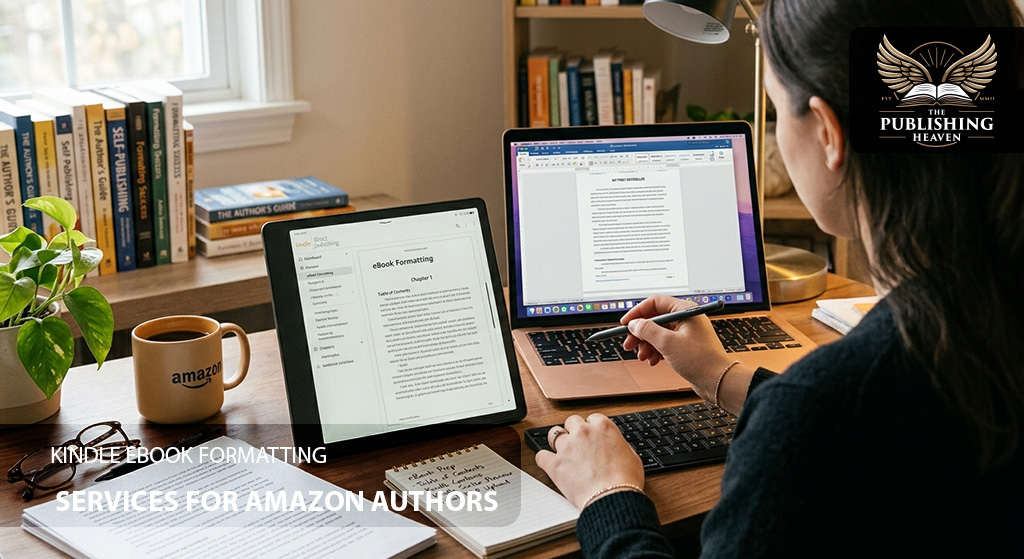
The formatted file is tested on multiple Kindle devices and apps – Kindle e‑reader, Kindle for iOS, Kindle for Android, Kindle Cloud Reader, and Fire tablet. Any device‑specific issues are corrected before delivery.
6. Metadata Embedding
Your title, author name, publisher, language, ISBN (if used), and ASIN are correctly embedded in the file. This metadata is what Amazon displays on your product page. Incorrect metadata can confuse readers and hurt discoverability.
7. Proofreading the Formatted File
A final proofread of the formatted file catches any formatting errors introduced during conversion – missing spaces, wrong fonts, broken links. This is different from editing; it is a quality check of the file itself.
Comparison Table: Formatting Methods at a Glance
| Aspect | DIY with Word | DIY with Formatting Software | Professional Formatting Service |
| Cost | $0 | $200-$250 one‑time | $150-$300 per book |
| Time | 10‑20 hours | 10‑20 hours (learning + doing) | 3‑7 days (you do nothing) |
| Clickable TOC | Risky (often fails) | Usually works | Guaranteed |
| Image handling | Often breaks | Works with care | Flawless |
| Device testing | Limited | Limited | Extensively tested |
| Technical knowledge needed | Low (but errors likely) | Medium | None |
| Risk of rejection | High | Low to medium | Very low |
| Best for | One‑time, low budget | Multiple books | Most authors |
Recommendation for most first‑time authors: Hire a professional formatter. The cost is a few hundred dollars. The peace of mind and error‑free file are worth it.
How Much Do Kindle eBook Formatting Services Cost?
Pricing varies depending on complexity, word count, and whether you need image handling or special layouts.
Standard pricing for 2026:
| Service | Cost Range | Typical for |
| Basic formatting (standard novel, no images) | $150-$250 | Fiction, simple non‑fiction |
| Complex formatting (tables, charts, sidebars) | $250-$400 | Business, self‑help, textbooks |
| Heavy image formatting (illustrations, photos) | $300-$600 | Children’s books, cookbooks, art books |
| Rush delivery (48‑72 hours) | +50% | Last‑minute projects |
| Revisions after delivery | Included (1 round) | Standard |
What you should not pay for: $50 Kindle formatting services on freelance marketplaces. These are often automated or low‑quality. The result will have errors.
The Publishing Heaven note: We offer Kindle book formatting as part of our premium publishing packages. Our team uses professional conversion tools and tests your file on multiple devices before delivery. Contact us for a quote.
Preparing Your Manuscript Before Formatting (Critical Step)
Before you send your manuscript to a formatter, you should do a little prep work. This saves time and money.
Pre‑formatting checklist:
- Remove extra spaces (use “Find and Replace” to replace two spaces with one).
- Remove manual tabs (replace with paragraph indents using styles).
- Apply “Heading 1” style to all chapter titles.
- Apply “Heading 2” style to subheadings within chapters.
- Insert proper page breaks between chapters (not multiple hard returns).
- Remove any custom fonts (use standard fonts like Times New Roman or Garamond).
- Ensure all images are high‑resolution (72‑150 DPI) and saved as JPEGs.
- Remove extra blank pages at the end of the manuscript.
- Check that your table of contents (if you created one in Word) is linked correctly.
If you do these steps, your formatter will have less cleanup work, and your final file will be cleaner.
Common Kindle Formatting Errors (Before and After)
Here are the most frequent formatting mistakes and how professionals fix them.
| Error | Before (DIY) | After (Professional) |
| Broken TOC | “Go To” menu shows no chapters or wrong links | Every chapter appears and jumps correctly |
| Manual indents | Spaces or tabs used; indents vary on different screens | Consistent first‑line indent using CSS |
| Missing page breaks | Chapters run together without separation | Clean breaks between chapters |
| Wrong font embedding | Fancy fonts that become default Times New Roman | Standard embeddable fonts used |
| Images misaligned | Images shift or disappear when font size changes | Anchored images stay in place |
| Poorly formatted tables | Columns overlap; text unreadable | Tables strip down to simple HTML that works |
| Missing metadata | Title or author name missing on Kindle device | Metadata embedded properly |
How to Choose a Kindle Formatter (Step‑by‑Step)
Not all formatters are equal. Follow these steps to find a reliable professional.
Step 1 – Ask for samples. A reputable formatter will show you before/after examples of Kindle books in your genre.
Step 2 – Verify device testing. Ask: “Do you test on actual Kindle devices, or only in Kindle Previewer?” Real device testing catches more issues.
Step 3 – Check revision policy. What if you find a formatting error after delivery? A good formatter offers at least one round of corrections.
Step 4 – Discuss file ownership. You must own the final formatted file. Some services lock you into their distribution – avoid them.
Step 5 – Read client reviews. Look for testimonials from authors who published successfully.
Red flags to avoid:
- No portfolio or samples
- Prices under $100 for a full novel
- Refusal to test on multiple devices
- No revision policy
- Pressure to pay 100% upfront
Using Amazon’s Free Kindle Create (A DIY Alternative)
If you have a very simple book (no images, no tables, no complex layouts), you can try Amazon’s free tool: Kindle Create.
Pros: Free. Easy to use. Creates both Kindle and paperback files. Works for simple novels.
Cons: Limited control over styling. Does not handle complex layouts well. No custom fonts. Can produce generic‑looking books.
When to use Kindle Create: If you have a standard novel with no images and you are on a zero budget. It is better than uploading raw Word.
When to hire a professional: If your book has images, tables, charts, sidebars, poetry, unusual formatting, or if you want a truly professional look.
The Kindle Formatting Process: What to Expect
When you hire a professional Kindle formatting service, here is the typical workflow.
Step 1 – Submit your manuscript: You provide a clean, edited Word or Google Docs file. Do not send a PDF – PDFs are difficult to convert.
Step 2 – Initial review: The formatter checks your manuscript for common issues – missing page breaks, inconsistent heading styles, oversized images. They may ask you to fix simple things before they start.
Step 3 – Formatting: The formatter converts your file using professional software, cleaning up code and applying correct styling.
Step 4 – Quality check: The formatter runs the file through Kindle Previewer and tests on actual devices (Kindle e‑reader, smartphone app, tablet).
Step 5 – Delivery: You receive a Kindle‑ready .epub or .mobi file. You also receive a refund/revision policy.
Step 6 – Your review: You upload the file to KDP, use Kindle Previewer yourself, and check a few chapters on your own Kindle. If you find issues, you request revisions.
Step 7 – Publish: Once you are satisfied, you click “publish” on KDP.
How long does the process take? 3‑7 days for standard service. Rush delivery available for extra fee.
Expert Insights: Testing Your Kindle Book Before Publishing
Even after professional formatting, you should test your book. Here is how.
Use Kindle Previewer (free download). This simulates how your book will look on various Kindle devices. Click every TOC entry. Zoom in and out. Change font sizes. Look for anomalies.
Test on a real Kindle device. Kindle Previewer is reliable but not perfect. If you own a Kindle, send the file to it. If not, use the free Kindle app on a smartphone or tablet.
Common issues to look for:
- Does the TOC work from the “Go To” menu?
- Do images disappear when you change font size?
- Are there extra spaces or missing words?
- Does the book open to the correct starting page?
Examples / Use Cases: Real Kindle Formatting Transformations
Use Case 1: The Novelist Whose Kindle Book Had Broken Chapter Links
Before: Emma wrote a 90,000‑word thriller. She uploaded a Word document to KDP. The ebook preview looked fine, but when readers downloaded it, the “Go To” menu showed no chapters.
After: Emma hired a professional Kindle formatter ($200). The formatter rebuilt the TOC and tested on three devices. The final file worked perfectly.
Result: Emma received zero formatting complaints. Her book maintained a 4.6‑star rating. She says, “I did not realize a broken TOC was my fault. The formatter saved my reputation.”
Use Case 2: The Business Author with Complex Tables
Before: Tom wrote a business book with 20 tables and 15 charts. His Word file looked fine on his computer, but on Kindle, the tables were unreadable – columns overlapped, text overflowed.
After: He hired a formatter specializing in complex non‑fiction ($350). The formatter rebuilt each table using proper HTML/CSS and tested on a Kindle e‑reader.
Result: The tables displayed perfectly. Tom’s book became a #1 New Release. He says, “I could never have fixed those tables myself.”
Use Case 3: The Author Who Skipped Formatting Entirely
Before: Lisa published a memoir using her Word file. The ebook had missing page breaks between chapters, images in the wrong places, and a broken TOC. She sold 50 copies and received three one‑star reviews mentioning formatting.
After: She unpublished, hired a professional formatter ($250), and republished a second edition.
Result: Sales increased to 500 copies. Lisa says, “I tried to save $250 and lost $2,000 in potential sales. Learn from my mistake.”
Use Case 4: The Author Who Used Kindle Create Successfully
Before: Mark wrote a simple romance novel with no images or tables. He used Kindle Create (free). The file passed KDP’s checks.
Result: His book sold 300 copies. He says, “For a simple book, Kindle Create worked fine. I saved $200.”
Use Case 5: The Author Who Had to Fix a Bad DIY Formatting Job
Before: Rachel formatted her own cookbook in Word. The images moved around, and the recipe tables were unreadable. She published anyway. Reviews were terrible.
After: She hired a professional formatter ($500 for complex image formatting). The formatter rebuilt the entire file.
Result: She republished and reviews improved. She says, “I should have hired the pro from the start.”
Conclusion: Your Kindle Book Deserves Professional Formatting
Kindle eBook formatting services are not an optional extra. They are essential for a professional, readable, and saleable ebook. Readers will not tolerate broken navigation or weird spacing – they will return the book and leave a bad review.
Your action plan:
- Diagnose whether your current format has issues (test on Kindle Previewer and a real device).
- Budget $150-$400 for professional Kindle formatting.
- Choose a formatter by asking for samples, checking references, and verifying device testing.
- Review the formatted file on your own Kindle before publishing.
- Publish with confidence.
Do not let poor formatting ruin your book’s potential. A few hundred dollars now can save you thousands in lost sales and reputation.
FAQs: Kindle eBook Formatting Services
Q: Can I format my Kindle book myself?
Yes, but only if you use dedicated formatting software or Amazon’s free Kindle Create. Using Word directly almost always produces errors.
Q: Do I need a different file for Kindle and paperback?
Yes. Kindle uses a reflowable .epub or .mobi file. Paperback uses a fixed‑layout PDF. They are not interchangeable.
Q: How long does professional Kindle formatting take?
Typically 3‑7 days. Rush delivery (48 hours) may cost extra.
Q: Will professional formatting fix my typos?
No. Formatting arranges your text; it does not correct spelling or grammar. Always complete professional editing before formatting.
Q: How do I know if my Kindle book needs reformatting?
If you see any of these signs: broken chapter links, weird spacing, images that move or disappear, or inconsistent fonts – you need reformatting.
Q: What is the difference between Kindle formatting and KDP’s automatic conversion?
KDP’s automatic conversion works for simple books, but it fails with complex layouts, images, tables, and custom styling. Professional formatting gives you full control.
Q: Does The Publishing Heaven offer Kindle formatting services?
Yes. The Publishing Heaven provides professional Kindle ebook formatting as part of our publishing packages. We test your file on multiple devices and guarantee a clickable TOC. You can also purchase formatting as a standalone service. Contact us for a quote.
Strong Call-to-Action (CTA)
You have written your book. You have edited it. Now make sure it looks professional on every Kindle device.
At The Publishing Heaven, we offer premium Kindle ebook formatting services. Our team converts your manuscript into a clean, tested, Kindle‑ready file – with clickable TOC, properly placed images, and consistent styling. We test on real devices, not just previewers.
We are a premium, one‑stop publishing solutions company. Do not let poor formatting hurt your sales. Let us give you a Kindle book that readers will love to read.
Ready to format your Kindle book professionally?
Visit The Publishing Heaven today to request a free sample and a personalized quote. Let’s turn your manuscript into a flawless Kindle ebook.
