
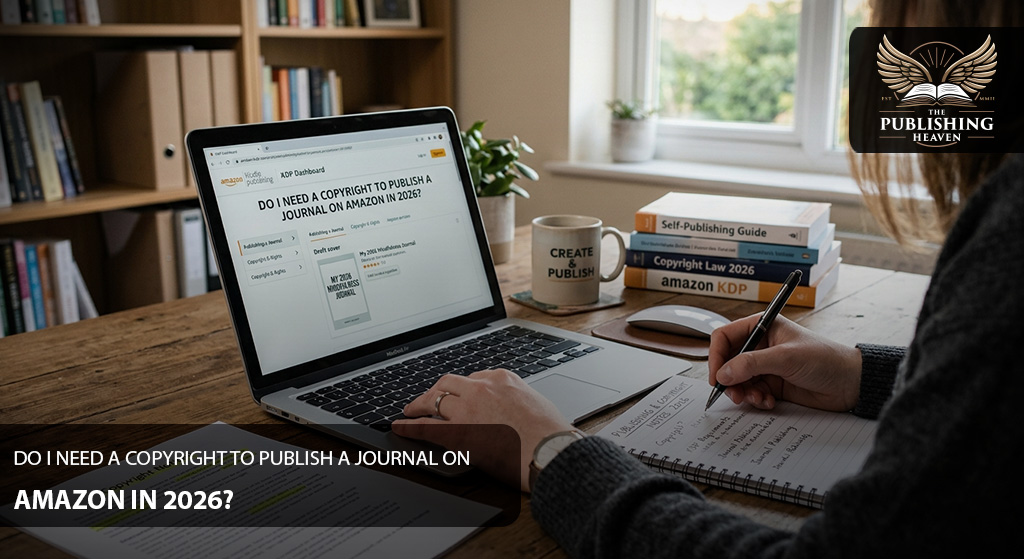
Do you need a copyright to publish a journal on Amazon in 2026? The short answer is no. Amazon Kindle Direct Publishing does not require copyright registration before you publish an original journal. However, you must own or control the necessary publishing rights for its content, cover, and artwork.
Fortunately, copyright protection and registration are different. In the United States, copyright generally begins automatically when you create and record original creative work. Therefore, you can publish eligible original material without first obtaining a copyright registration certificate.
However, creating a journal requires more than understanding copyright law. You also need a useful concept, an attractive cover, correctly formatted pages, and accurate publishing information.
Additionally, authors can explore professional publishing assistance. Companies such as The Publishing Heaven and 360 Book Marketeers offer publishing and marketing services. Similarly, Global Book Distributors and KDP Publishing Team provide additional publishing support options.
This guide explains the copyright requirements for publishing journals on Amazon in 2026. Moreover, it covers copyright registration, low-content books, ISBN options, publishing steps, and common mistakes.
Do You Need a Copyright to Publish a Journal on Amazon?
No, Amazon does not require you to register a copyright before publishing your original journal through KDP.
However, you must possess the legal rights to publish every protected element of your journal. These elements may include original written prompts, illustrations, photographs, and cover artwork.
For example, suppose you create a gratitude journal using your own questions and illustrations. Your original creative expression may receive copyright protection automatically under U.S. law.
Therefore, you generally do not need a registration certificate before publishing the journal.
However, using another person’s artwork or written content creates additional responsibilities. You must obtain appropriate permission or ensure that your use has another valid legal basis.
Additionally, Amazon may request evidence of your publishing rights. A copyright page alone does not establish ownership.
For more information, consult the official Amazon KDP Content Guidelines.
Can You Publish Without a Copyright Page?
Yes, Amazon does not require every journal to contain a copyright page.
However, you may include one to identify the creator and provide publication information.
For example, a copyright page can display the author’s name, publication year, and ownership statement.
Nevertheless, including this information does not create copyright protection in otherwise unprotected material.
Therefore, focus on confirming your actual publishing rights rather than relying on a copyright notice.
Copyright vs. Copyright Registration
Understanding the difference between copyright protection and copyright registration is essential for journal publishers.
Copyright protects qualifying original expression. In the United States, this protection generally begins once an author fixes the work in a tangible form.
For example, original illustrations or sufficiently creative written prompts may qualify for protection.
Copyright registration, however, involves submitting an application to the U.S. Copyright Office.
Consequently, registration establishes an official public record and can provide additional legal benefits.
Why Copyright Registration Matters
Although registration is not mandatory for obtaining copyright protection, it can become important when disputes arise.
For example, registration or refusal of registration is generally necessary before filing a U.S. copyright infringement lawsuit involving a U.S. work.
Additionally, timely registration can provide access to certain legal remedies.
Therefore, creators with substantial original content may want to consider registration.
You can explore the process through the official U.S. Copyright Office Registration Portal.
However, copyright rules differ internationally. Consequently, creators outside the United States should consider the laws that apply to their circumstances.
What Copyright Protects in a Journal
Copyright protects qualifying original expression rather than general ideas.
Therefore, an author cannot claim exclusive copyright ownership over the basic idea of keeping a gratitude journal.
However, an original explanation, illustration, or sufficiently creative written passage may qualify for protection.
For example, a guided journal might contain detailed reflection exercises and original illustrations. These creative elements may receive copyright protection.
Meanwhile, ordinary lines, boxes, common headings, and basic recording forms generally do not qualify by themselves.
The U.S. Copyright Office’s regulations specifically exclude blank forms intended only to record information.
Protecting Your Original Journal Content
First, create your own material whenever possible.
Next, retain copies of your original drafts, illustrations, and design files.
Additionally, document any agreements with freelance writers or designers.
If you use third-party artwork, keep records of the relevant licenses.
Furthermore, confirm that those licenses permit commercial publishing.
These precautions can help you respond if someone questions your publishing rights.
Does a Blank Journal Have Copyright Protection?
You can publish a blank journal through Amazon KDP. However, basic blank pages do not necessarily qualify for copyright protection.
For example, a notebook containing only repeated ruled pages generally lacks the creative expression necessary to protect those pages themselves.
Similarly, standard forms designed for recording information usually fall outside copyright protection.
However, original artwork and sufficiently creative written content may qualify.
Therefore, consider developing distinctive creative features that improve the journal’s usefulness.
How to Make Your Journal More Original
You can create a stronger journal concept by including original reflection prompts and themed exercises.
For example, a wellness journal might contain guided questions about personal goals and daily routines.
Additionally, a reading journal could include unique reflection exercises and original illustrations.
Similarly, a travel journal may combine destination planning pages with thoughtfully written prompts.
However, adding basic lines or changing colors does not automatically make otherwise unprotected content copyrightable.
Instead, focus on meaningful original expression.
Ultimately, original creative content can improve the reader’s experience while potentially supporting copyright protection.
Is a Journal Considered a Low-Content Book on Amazon?
Amazon generally classifies journals, notebooks, planners, and diaries as low-content books.
These publications often contain repetitive pages that readers complete themselves.
Therefore, KDP applies specific publishing rules to this category.
For example, low-content books have different ISBN options from ordinary paperback books.
Additionally, certain distribution and preview features may be unavailable.
However, not every book containing writing exercises automatically belongs in this category.
A publication with extensive original instructional content may require a different classification.
Therefore, review the official KDP Low-Content Book Guidelines before setting up your title.
Do You Need an ISBN to Publish a Journal on Amazon?
Generally, low-content journals do not require an ISBN when published through Amazon KDP.
Instead, Amazon allows publishers to choose between supplying their own ISBN and publishing without one.
However, low-content books do not qualify for a free KDP ISBN.
Therefore, you should understand your options before completing the publishing setup.
Publishing a Journal Without an ISBN
You can select the option to publish an eligible low-content journal without an ISBN.
Amazon will assign an Amazon Standard Identification Number to the book.
Consequently, you can list the journal without purchasing an ISBN.
However, certain features remain unavailable for low-content books published without an ISBN.
For example, KDP does not currently support the Read Sample feature for those editions.
Publishing With Your Own ISBN
Alternatively, you can obtain an ISBN independently.
This option may suit authors who want to manage their publishing identity or explore additional distribution opportunities.
However, an ISBN does not establish copyright ownership.
Therefore, do not confuse ISBN registration with copyright registration.
Also, remember that KDP Expanded Distribution is unavailable for low-content books.
How to Publish a Journal on Amazon in 10 Steps
Now that the copyright requirements are clear, you can begin preparing your journal for publication.
The following table outlines ten essential stages.
| Step | Publishing Stage | What You Need to Do |
|---|---|---|
| 1 | Choose Your Journal Concept | Identify your audience and decide what purpose your journal serves. |
| 2 | Create Original Content | Develop prompts, exercises, artwork, or other appropriate journal material. |
| 3 | Design the Interior | Prepare writing spaces, margins, page layouts, and sections. |
| 4 | Create the Cover | Design an attractive cover that meets Amazon’s print specifications. |
| 5 | Verify Copyright and Rights | Confirm ownership, licenses, and commercial publishing permissions. |
| 6 | Format for Amazon KDP | Prepare print-ready interior and cover files. |
| 7 | Choose Your ISBN Option | Use your own ISBN or publish an eligible low-content journal without one. |
| 8 | Enter Your Book Details | Add the title, author name, description, keywords, and categories. |
| 9 | Upload and Preview | Inspect your journal through KDP Print Previewer. |
| 10 | Set Pricing and Publish | Select territories, review pricing, and submit your journal. |
Each stage contributes to the quality and accuracy of your final publication.
Step 1: Choose Your Journal Concept
First, decide what type of journal you want to publish.
For example, you might create a gratitude journal, fitness tracker, reading journal, travel journal, or daily planner.
Next, identify the people who would benefit from your product.
Ask what purpose the journal serves and how readers will use it.
Additionally, research comparable journals on Amazon.
Study their descriptions, layouts, page counts, and customer expectations.
However, do not copy another publisher’s distinctive creative material.
Instead, use your research to identify ways to improve the experience.
Identify Your Target Audience
A clear target audience helps guide your design decisions.
For example, a student’s study planner may need scheduling sections and assignment trackers.
Meanwhile, a travel journal might emphasize writing space, memories, and destination details.
Therefore, select features that reflect your audience’s actual needs.
Furthermore, maintain a consistent purpose throughout the journal.
Step 2: Create Original Journal Content
Once you have a concept, begin developing the interior material.
If your journal contains blank pages, focus on providing practical writing space.
However, guided journals require more written content.
For example, a self-reflection journal might include daily questions, weekly exercises, and personal goal pages.
Additionally, you can create original illustrations or instructional sections.
These features can differentiate your journal from competing products.
Check the Ownership of Your Content
Before using any outside material, confirm its legal status.
For example, an image available through an online search may still have copyright protection.
Therefore, do not assume that publicly accessible material is free for commercial use.
Additionally, review licenses for stock artwork and purchased templates.
If you hire a freelancer, use a written agreement defining ownership and publishing permissions.
You can also explore professional book editing services when your journal contains substantial written material.
Step 3: Design Your Journal Interior
Your journal’s interior should provide a comfortable and practical writing experience.
First, choose an appropriate trim size. Then, establish your margins and page layout.
Next, determine how much writing space each page requires.
For example, a daily reflection journal might feature writing prompts followed by blank lines.
Meanwhile, a habit tracker may rely on carefully arranged tables and recording areas.
However, avoid making the layout unnecessarily complicated.
Make Your Interior Easy to Use
A useful journal should support its intended purpose.
Therefore, consider testing sample pages before completing the entire manuscript.
Print several pages and evaluate the writing space.
Additionally, check whether the text appears comfortable to read.
Make sure the margins provide enough room near the binding.
Finally, review the consistency of your headings, lines, and sections.
Professional book formatting services may help you prepare a suitable print layout.
Step 4: Create a Professional Journal Cover
Your cover helps customers understand your journal’s purpose.
Therefore, choose colors, typography, and imagery that suit the intended audience.
For example, a wellness journal might use a calm and simple visual approach.
Meanwhile, a children’s creative journal could feature lively original illustrations.
However, your cover should remain distinct from competing publications.
Avoid reproducing another publisher’s artwork or closely imitating a distinctive design.
Follow Amazon’s Cover Requirements
Amazon requires covers to meet specific printing specifications.
Therefore, confirm the trim size, page count, and paper type before finalizing your design.
Additionally, check the spine width and bleed measurements.
Make sure important text stays within the safe printing area.
Furthermore, use suitable image resolution.
You can consult Amazon’s Paperback Cover Requirements or explore professional book cover design services.
Step 5: Check Your Copyright and Publishing Rights
Before uploading your journal, review every creative element.
First, identify the material you created yourself.
Next, determine whether you used outside writing, photographs, graphics, or templates.
Then, check the relevant licenses and agreements.
Additionally, confirm that your permissions cover commercial publication through Amazon.
Keep Proof of Your Publishing Rights
Amazon may ask publishers to demonstrate their right to use certain material.
Therefore, retain records of original drafts, contracts, licenses, and purchased assets.
For example, keep the license agreement when purchasing commercial-use artwork.
Similarly, document the rights transferred or licensed by a freelance designer.
However, remember that payment alone does not necessarily transfer copyright ownership.
Consequently, clear written agreements are important.
Step 6: Format Your Journal for Amazon KDP
Once your content is ready, prepare the final print files.
First, confirm your trim size and margins.
Next, determine whether your interior requires bleed.
Then, export the manuscript using a suitable file format.
For example, Amazon requires a PDF interior when your print book contains bleed.
Additionally, review the finished file for text placement and formatting consistency.
Proofread Repeated Journal Content
Even simple journals can contain spelling mistakes.
For example, a repeated prompt with an incorrect word may appear throughout the publication.
Therefore, proofread the original content before duplicating pages.
Additionally, inspect headings, instructions, and section labels.
Professional book proofreading services can provide additional assistance.
Finally, examine the exported file rather than relying only on your editable manuscript.
Step 7: Choose Your Journal ISBN Option
When you create a low-content journal through KDP, choose your ISBN option carefully.
First, determine whether your journal qualifies as a low-content publication.
Then, decide whether to provide your own ISBN or publish without one.
Although regular paperback books may qualify for free KDP ISBNs, low-content journals do not.
Therefore, do not select a free ISBN option intended for another publication category.
Consider Your Long-Term Publishing Goals
If you plan to distribute journals through several publishing services, research their identification requirements.
For example, another platform may require an ISBN for its print distribution process.
However, obtaining an ISBN does not grant ownership of the journal’s creative content.
Additionally, an ISBN does not replace copyright registration.
Therefore, treat publishing identification and intellectual property protection as separate matters.
Step 8: Add Your Journal Details on Amazon
Next, sign in to Amazon Kindle Direct Publishing and begin creating your print title.
Enter your journal title, subtitle when applicable, author information, and description.
Then, choose suitable categories and keywords.
Additionally, select the correct publishing rights information.
Select the Low-Content Classification
If your journal meets KDP’s low-content definition, identify it correctly during title setup.
Amazon specifically requires publishers to select the low-content classification for qualifying books.
Therefore, do not skip this step.
Incorrect classification can create publishing problems or lead to rejection.
Write a Clear Journal Description
Your description should explain what the journal offers.
For example, describe its purpose, intended audience, and useful features.
Additionally, mention relevant information about the interior layout.
However, avoid making misleading claims about the content.
Instead, communicate what buyers will receive.
Similarly, choose keywords that accurately represent the product.
Step 9: Upload and Preview Your Journal
Once your publishing details are complete, upload the interior and cover files.
KDP will process the files and prepare them for preview.
However, successful uploading does not guarantee that the journal is free from errors.
Therefore, inspect the book carefully before submission.
Check Your Interior and Cover
First, examine the opening pages.
Next, review several middle sections and the final pages.
Additionally, check margins, line alignment, page numbering, and text placement.
Make sure no important content extends beyond the permitted printing area.
Then, inspect the front cover, spine, and back cover.
Finally, check the barcode area and overall alignment.
Consider Ordering a Physical Proof
A physical proof can help you identify problems that may not appear obvious on a computer screen.
For example, writing lines might appear too close together when printed.
Similarly, the chosen paper or printed image colors may differ from expectations.
Therefore, consider ordering a proof when evaluating the physical writing experience matters.
You can review Amazon’s Proof and Author Copy Guidelines for further information.
Step 10: Set Your Journal Price and Publish
After completing the preview, move to the rights and pricing section.
First, select the territories where you hold the necessary publishing rights.
Next, review Amazon’s printing costs and pricing requirements.
Then, choose your preferred list price.
However, your price should reflect the journal’s physical characteristics and intended audience.
For example, page count, print specifications, and comparable products can influence pricing decisions.
Submit Your Journal for Review
Before publishing, review the complete listing one final time.
Check the title, description, author information, categories, keywords, interior, and cover.
Additionally, confirm your ISBN choice and low-content classification.
Once everything appears correct, submit the journal for publication.
Amazon will review the submission before making it available.
How Long Does Amazon Take to Publish a Journal?
KDP’s standard publishing timeline is generally around three business days. However, low-content journal reviews are currently taking longer.
As of October 2026, Amazon’s published guidance says low-content reviews may take three to four weeks because of higher publishing volumes.
Therefore, plan your journal launch around the possibility of a longer review.
You can check the latest estimates on the KDP Publishing Timelines page.
Should You Register Your Journal Copyright?
You do not need copyright registration simply to publish a journal on Amazon.
However, registration may offer important benefits when your journal contains substantial original creative expression.
For example, a guided journal may include extensive original instructions, essays, and illustrations.
These elements may qualify for protection if they satisfy the applicable originality requirements.
Therefore, registration might be worth considering when the journal represents a valuable creative asset.
When Copyright Registration May Be Useful
Registration can create an official record of your copyright claim.
Additionally, timely registration can affect access to certain remedies in U.S. infringement cases.
However, registration does not create exclusive rights over basic journal ideas, blank lines, or common recording forms.
For example, registering original illustrations does not necessarily protect an ordinary habit-tracking method.
Therefore, assess which elements of your journal actually qualify for copyright protection.
You can obtain further guidance from the U.S. Copyright Office.
If your journal contains valuable intellectual property, consider consulting a qualified attorney.
Common Copyright Mistakes to Avoid
Many new publishers confuse copyright ownership with permission to use online materials.
However, finding something on the internet does not make it free for commercial publication.
Therefore, review the ownership and licensing requirements of every outside asset.
Copying Another Journal’s Interior
Avoid reproducing another publisher’s original creative writing or illustrations.
Although ordinary blank lines generally lack copyright protection, other material within a journal may qualify.
Therefore, distinguish basic functional elements from protected expression.
Using Artwork Without Commercial Rights
A free download does not necessarily include permission to reproduce artwork in a product for sale.
For example, some image licenses allow personal use but restrict commercial redistribution.
Therefore, review the terms before including any artwork.
Additionally, retain copies of the license agreement.
Assuming Attribution Gives Permission
Crediting an artist does not automatically authorize use of the artist’s work.
Consequently, you should obtain permission when required.
However, certain uses may qualify under a valid exception or involve public-domain material.
Therefore, evaluate the actual legal status rather than assuming attribution resolves the issue.
Copying Another Journal’s Cover
You can research successful journal designs to understand customer preferences.
However, avoid copying protected illustrations or distinctive creative artwork.
Instead, develop an original visual presentation.
Additionally, check whether branding elements raise trademark concerns.
Assuming a Copyright Page Proves Ownership
A copyright statement can identify the person claiming rights.
However, it cannot establish ownership of someone else’s protected material.
Therefore, maintain appropriate records of your original work and licensing arrangements.
Ignoring AI-Generated Content Rules
Amazon distinguishes AI-generated content from AI-assisted content.
For example, KDP requires disclosure when AI generates text, images, or translations that you include in the book.
However, its disclosure rules treat AI-assisted work differently.
Therefore, review the current KDP AI-Generated Content Guidelines before submitting your journal.
Copyright Notice vs. Copyright Registration
A copyright notice and copyright registration serve different purposes.
A notice generally identifies the copyright owner and publication year.
However, a notice does not require a formal application.
Registration, by contrast, involves submitting a claim to the relevant copyright authority.
Therefore, adding a notice does not replace registration.
Is a Copyright Notice Mandatory?
For modern original works under U.S. law, copyright protection generally does not depend on including a notice.
Consequently, you can publish an eligible journal without adding a dedicated copyright page.
However, some creators include one for identification and publishing information.
Additionally, a notice may help communicate ownership claims to readers.
Still, it does not protect content that lacks sufficient originality.
Can You Publish a Journal That Someone Else Created?
You may publish another person’s protected creative work only when you possess the necessary rights or have another valid legal basis.
For example, you might hire a designer to create your journal interior.
However, paying for design services does not automatically establish that you own the copyright.
Therefore, use a written agreement that clearly defines your publishing permissions.
Similarly, if you purchase a journal template, review its commercial licensing terms.
Some templates allow personal use but prohibit resale or publication as a standalone product.
Additionally, keep copies of contracts, licenses, and invoices.
These records can help demonstrate your rights if Amazon requests verification.
What Makes a Journal Worth Publishing on Amazon?
Understanding copyright requirements is important. However, a journal also needs to offer a useful customer experience.
Therefore, think carefully about your audience and the journal’s purpose.
For example, a generic notebook may compete with many similar listings.
Meanwhile, a thoughtfully developed guided journal can provide more specific value to readers.
Create a Useful Product
Start by identifying the problem your journal addresses.
Next, develop pages that make it easier for customers to accomplish their goals.
For example, a study journal may include planning exercises and reflection questions.
Additionally, a gratitude journal might provide guided prompts and weekly review sections.
However, avoid adding unnecessary content merely to increase the page count.
Instead, prioritize usefulness and readability.
Promote Your Journal After Publication
Once Amazon approves your journal, you can begin promoting it.
First, introduce the product through your website or social media accounts.
Next, share information about its purpose and features.
Additionally, demonstrate how customers might use the journal.
For example, you could create promotional content showing sample interior pages.
You can also explore professional book publication services and book marketing services when planning your publishing strategy.
However, remember that a strong journal concept and accurate product listing remain essential.
Frequently Asked Questions About Publishing a Journal on Amazon
Do I Need a Copyright to Publish a Journal on Amazon?
No, Amazon does not require copyright registration before publishing an original journal. However, you must hold the necessary publishing rights for its protected content and artwork.
Do I Need a Copyright Page in My Journal?
No, Amazon does not require a copyright page. However, you may include one to identify the creator and provide publication information.
Does My Journal Automatically Have Copyright Protection?
Original creative expression generally receives copyright protection automatically under U.S. law once you fix it in a tangible form. However, ordinary blank lines and basic forms generally do not qualify.
Should I Register My Journal Copyright Before Publishing?
Registration is not required to publish through KDP. However, it can offer important legal benefits. Therefore, consider registration when your journal contains substantial original creative content.
Do Journals Need an ISBN on Amazon?
Not necessarily. KDP permits eligible low-content journals to publish without an ISBN. Alternatively, you can provide your own ISBN.
Does Amazon Provide Free ISBNs for Journals?
No, low-content journals do not qualify for free KDP ISBNs. Therefore, you must either supply your own ISBN or publish without one.
Can I Use Images From the Internet in My Journal?
Only when you have the necessary rights or another valid legal basis for using them. Therefore, check copyright ownership and commercial licensing terms before including outside artwork.
Can I Publish a Journal Created With a Freelancer?
Yes, provided you have the necessary publishing rights. However, use a written agreement to establish ownership or licensing permissions clearly.
Can I Publish Public-Domain Material in My Journal?
You may use material that genuinely belongs to the public domain. However, Amazon may request evidence of its status. Additionally, certain KDP content requirements may apply.
How Long Does Amazon Take to Publish a Journal?
KDP currently warns that low-content book reviews may take three to four weeks. Therefore, check your KDP Bookshelf for the latest status and plan your launch accordingly.
Can I Publish a Journal Without an ISBN?
Yes, Amazon allows eligible low-content journals to publish without an ISBN. However, certain features may be unavailable for those editions.
Can I Publish a Journal With AI-Generated Content?
Yes, provided the content follows Amazon’s publishing policies. However, KDP requires disclosure of AI-generated text, images, and translations. Therefore, review its disclosure requirements carefully.
Can I Copyright a Blank Journal?
Basic blank forms and ordinary ruled pages generally do not qualify for copyright protection under U.S. law. However, original illustrations and sufficiently creative written content within the journal may qualify.
Does Copyright Registration Protect My Journal Title?
No, copyright generally does not protect titles, names, or short phrases. However, trademark law may protect certain names or branding elements under appropriate circumstances.
Can I Sell My Journal on Other Platforms?
Potentially, yes. However, you must consider the rights associated with your content, any existing agreements, and each platform’s requirements. Additionally, your ISBN and distribution choices may affect your publishing options.
Conclusion
Understanding whether you need a copyright to publish a journal on Amazon can help you avoid confusion during the publishing process.
First, remember that copyright registration is not mandatory for publishing an original journal through KDP. However, you must own or control the necessary rights to its protected content.
Next, focus on creating a useful and original product. Choose a clear audience, develop appropriate content, and prepare a professional interior and cover.
Additionally, review your ISBN options and select the correct low-content classification.
Then, upload your files through Amazon Kindle Direct Publishing and inspect the finished journal before submitting it.
However, do not assume that every journal element qualifies for copyright protection. Basic blank forms and ordinary writing spaces generally lack the originality required under U.S. copyright law.
Therefore, protect your original creative work, document your publishing permissions, and consider registration when appropriate.
Finally, develop a consistent marketing strategy to help readers discover your journal.
With careful preparation, accurate publishing information, and proper attention to intellectual property rights, you can bring your journal to Amazon confidently.
